

Take the exact same logo file, run it on two acrylic panels, and you might end up with a crisp white frosted mark on one and a washed-out gray smudge on the other. If you’re a concert merch designer staring at that mismatch, the first instinct is usually to tweak the artwork. But more often than not, the real culprit is the material itself and how it was engraved — not the vector file.
On Longstar’s product page for the LSK-01 LED glow stick, customization lets you reshape the panel and add a logo either by laser engraving or by printing. Cast acrylic is listed as one of the material options, but the page doesn’t publish laser settings, and it certainly doesn’t promise how any particular logo will render once the beam hits it.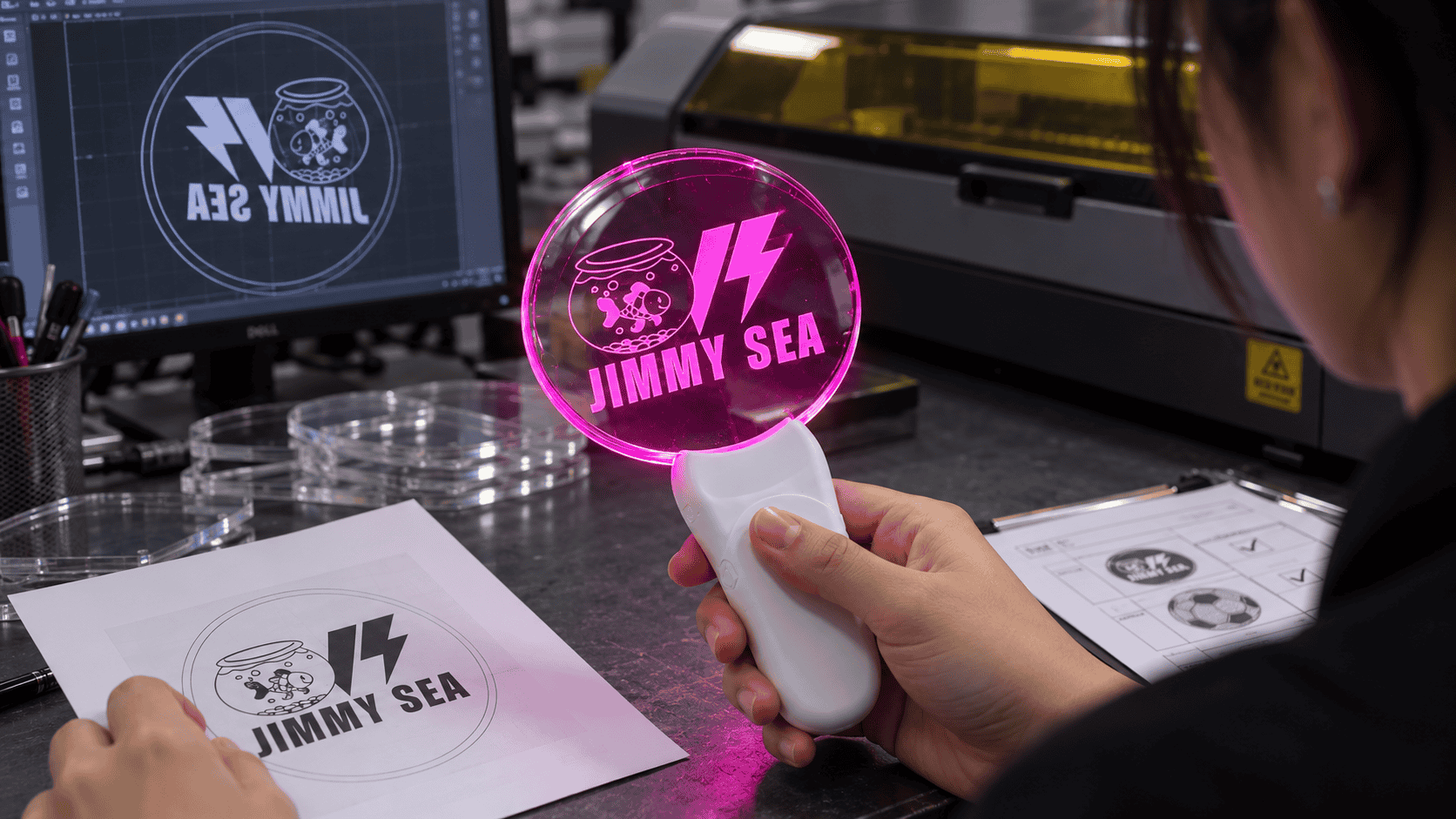
Cast vs. extruded: the engraving behaves differently
Trotec, who makes laser cutters and publishes a fair amount of acrylic guidance, puts it pretty clearly: if you want that bright, white engraved look, cast acrylic is the way to go. Run the same job on extruded acrylic and you’ll usually get a matte gray mark with noticeably less contrast. The catch? A clear, unmarked sheet looks identical sitting on the shelf — you can’t tell what the engraving will do until you actually process it.
So if your artwork is a pale logo on a clear panel, cast acrylic is probably worth the upgrade just for that white pop. Thickness is another variable, though. Extruded acrylic holds tighter thickness tolerances, which matters when the panel has to slide neatly into its holder. In other words, you’re weighing visual contrast against how consistently the panel will fit the housing.
Cranking up the power can backfire
It’s tempting to think: weak lettering? Just bump up the laser power. But Trotec’s engraving advice points the other way. A light, surface-level engraving actually produces the strongest white contrast; push the power too high and you start digging into the material, and the contrast drops off.
Before you start thickening every letter in the file to compensate, separate two issues. Thicker lettering changes the design itself — that’s an artwork decision. If the engraving looks faint, the fix is usually in the laser parameters, not the font weight.
Rear engraving means the file has to be mirrored
When the logo is engraved onto the back of the acrylic, it’s viewed through the front. That’s why Trotec tells you to mirror the artwork for rear engraving: flip it on the back, and when someone looks from the front, it reads the right way around.
A mirrored file, then, only looks “wrong” on your screen. It’s correct for the job as long as you’re engraving the rear face. The finished result depends on three things working together — the acrylic type, the laser settings, and which side you’re engraving. Sending over the artwork on its own leaves all three of those decisions up in the air.
Post time: Oct-13-2026


