

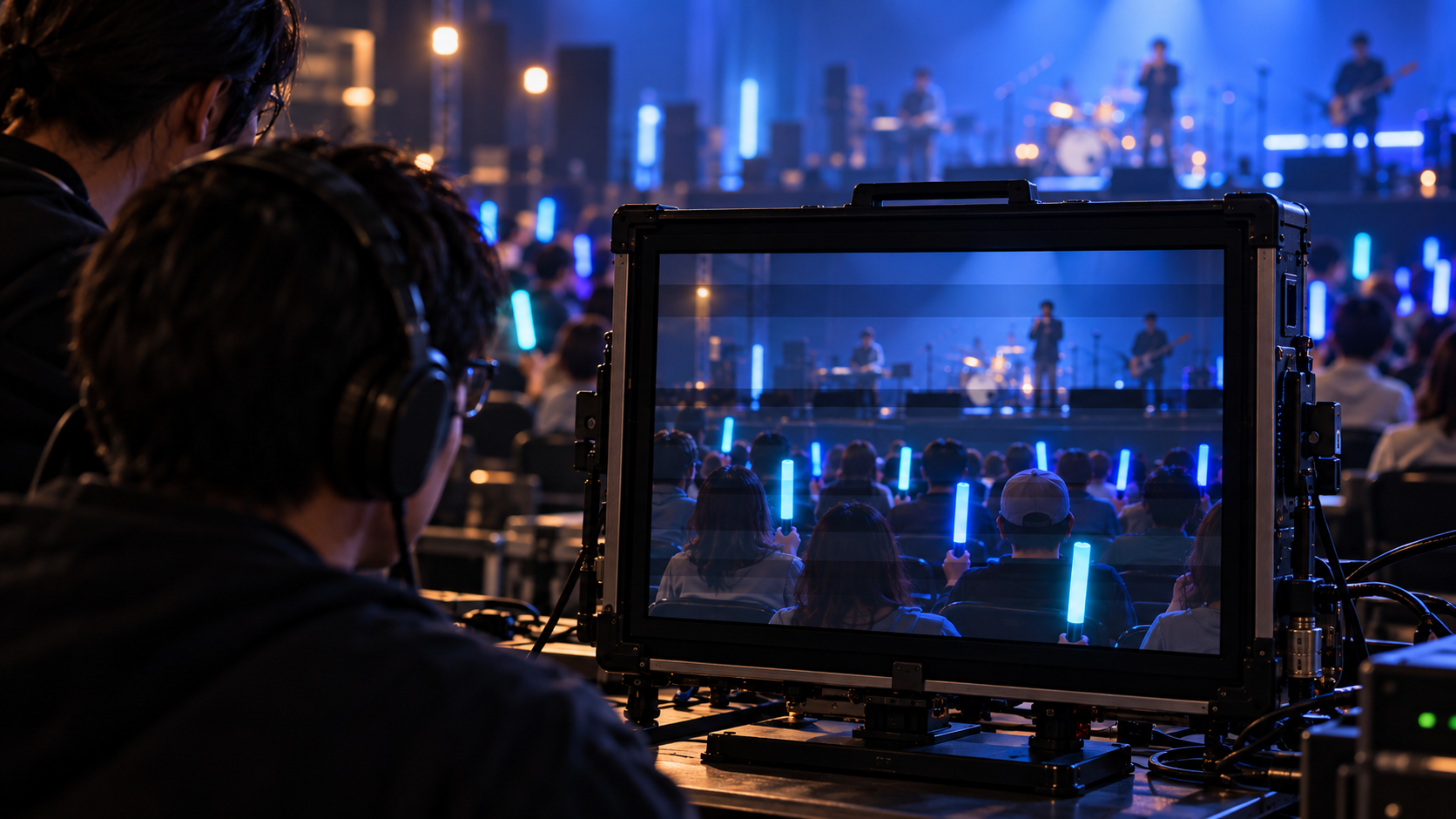
An audience lighting cue can look steady from the production desk and still show moving bands in a recording. If your concert will be filmed, give the video crew time with the actual LED products before approving the cue. Watching the audience area alone won’t tell you what the recording will contain.
## A camera samples the light differently
Some LEDs control brightness by switching rapidly on and off, a method called pulse-width modulation, or PWM. ENTTEC explains how a camera’s exposure can catch different portions of that cycle. With a rolling shutter, different sensor rows are exposed at slightly different times, so the recording may show horizontal bands even when the light looks steady to you.
This is one possible cause of a poor image. It doesn’t establish that a receiver has missed a command or that a whole batch is faulty. First separate a problem visible in the venue from one that appears only in footage. A band crossing the image deserves a different investigation from a glow stick that never changes color.
The control label won’t settle the camera question. Longstar’s LSK-03 LED glow stick page lists manual, DMX and remote control modes. Those describe control options; the page doesn’t state a PWM frequency or certify a camera setting. Don’t infer either from the word DMX.
## Record the cue the show will use
Ask the video operator to start with the intended camera and recording frame rate. Note the shutter setting as well. Film the actual lighting sequence, including any dimmed portions available in the agreed configuration, rather than approving a single bright moment. ENTTEC identifies short exposures and low dimming levels as conditions that can make PWM artifacts more apparent.
If slow motion is part of the production, record that mode separately. A clip made at the normal recording rate doesn’t establish that the same lighting will work with the shorter exposures used for another shot.
Play the files back on a screen large enough to inspect the audience area. Sony’s high-frequency flicker guidance recommends shooting and checking in advance because the effect can be difficult to judge on the camera display. Keep the problem clip so the camera and lighting operators can compare the same result.
## Change one setting and record again
Where the camera supports fine shutter adjustment, the operator may be able to reduce banding by changing the exposure timing. Sony demonstrates that approach for a compatible camera; it isn’t a universal setting for every production. Record again after an adjustment and check the result.
Have both operators approve the tested combination. Keep the accepted clip with its camera settings and the lighting cue used. If the production later changes the recording mode or the LED configuration, repeat the relevant test. Approval covers the combination you recorded.
References
ENTTEC — Why Do LEDs Flicker on Camera? PWM, Shutter Speed, and How to Fix It
Sony — Shooting with functions to reduce issues from high-frequency flicker
Longstar Gifts — LSK-03 LED Glow Stick Product Parameters
Post time: Oct-26-2026


